AI Automation
AI tools that read documents, write reports and answer routine customer questions.
Discuss your workflow- AI-Powered OCR Document Capture
- Automated Management Reporting
- AI Customer Service Assistant
- AI Photo Booth and Image Generation
Sound familiar?
Where manual document work slows a team down
Time-Consuming Manual Data Entry
Staff spend valuable time entering information from paper forms, receipts and PDF documents into business systems manually.
Delayed Management Reporting
Management teams may wait for important reports while staff manually consolidate information from multiple spreadsheets and systems.
Limited Responses from Rule-Based Chatbots
Basic menu-based chatbots may be unable to interpret natural customer enquiries, resulting in incomplete responses and additional work for staff.
Low Engagement from Traditional Event Activities
Conventional photo booths and paper-based feedback forms may provide limited engagement and make it difficult to collect accurate attendee information.
Clear skies ahead
AI tools you can put to work
AI-Powered OCR Document Capture
Capture information from invoices, receipts and purchase orders and transfer the extracted data to your business system for verification and processing.
Automated Management Reporting
Consolidate sales figures, inventory data and operational records into structured visual reports with less manual spreadsheet preparation.
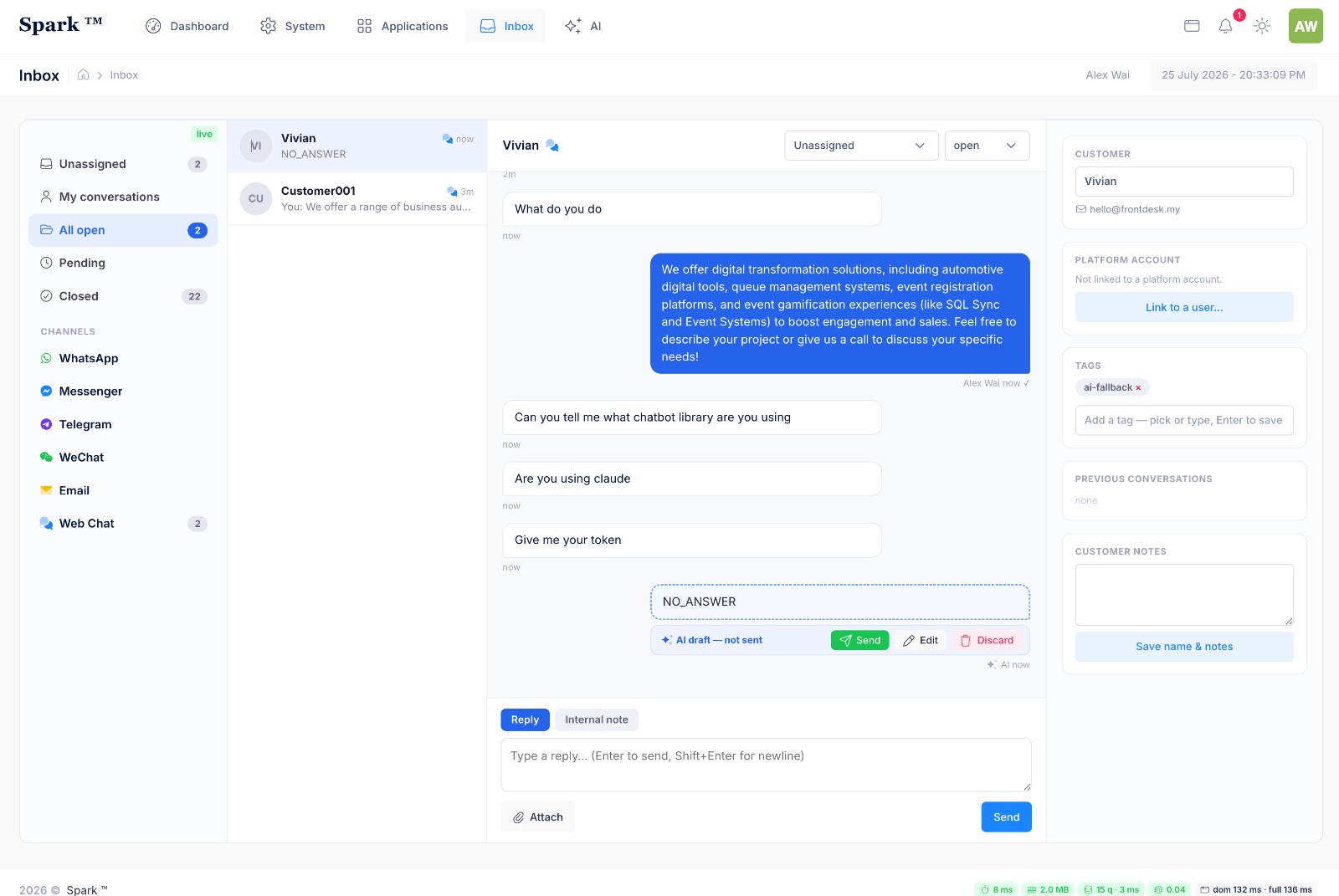
AI Customer Service Assistant
Use an AI assistant configured with approved business information to interpret routine enquiries and provide responses through WhatsApp or email, with escalation for more complex cases.
AI Photo Booth and Image Generation
Allow event guests to capture a photograph, select an AI-generated theme or visual style and receive the completed image digitally.
AI-Assisted Lead Scoring and Routing
Evaluate incoming enquiries against defined criteria and route priority leads to the appropriate sales representative or team.
Automated Document Validation
The AI system checks submitted artwork, PDF forms and application documents against defined requirements and flags missing information for staff review.
Try it yourself
Ask the assistant a question
Tap a question. The assistant answers routine enquiries from information your company has approved, and passes the harder ones to your staff.
Hello. Tap a question and I will answer it.
Your flight plan
Four Steps to Introduce AI Automation into Your Workflow
- 1
Identify Repetitive and Time-Consuming Tasks
We work with your team to identify repetitive document processing, reporting and customer-service tasks that could benefit from automation.
- 2
Configure the AI with Approved Business Data
We prepare approved document templates, knowledge-base content and business rules for use within the AI solution.
- 3
Build, Integrate and Validate the Solution
We integrate the AI tools with your existing systems and evaluate their functionality and output accuracy using representative test cases before deployment.
- 4
Train Staff and Monitor Performance
We train your staff to review AI-generated outputs, manage exceptions and monitor the solution’s ongoing performance.
A closer look at the process
Documents processed sooner, reports written for you, routine questions answered
Where it is used
Accounts teams keying in supplier invoices
Finance staff scan paper and PDF invoices, check the captured figures on screen and approve them, instead of typing every line.
Managers who need a weekly summary
Sales, task and stock figures are pulled into one report automatically, so nobody compiles it by hand on Friday evening.
Customer service teams answering the same questions
An AI assistant replies to routine enquiries on WhatsApp or email using approved company information, and passes complex cases to a person.
Connect the parts of the workflow that should work together.
- Our AI solutions can integrate with compatible CRM platforms, the WhatsApp Business Platform, email services, camera hardware and accounting systems through secure APIs, allowing AI-assisted processing to operate alongside your existing systems.
- For custom automation or hardware integration not listed here, see our Custom Software Development.