
Hotels & Tourism
Ferry and land transfer management for resorts
Boat schedules, jetty check-in, boarding passes, drivers and transfer vouchers, linked to every guest booking.
Overview
Ferry and land transfers in the same system as the rooms
Boats, crew, jetties, vehicles and drivers are set up once. Every transfer is linked to the guest's booking, so the jetty, the transfer desk and the front office see the same list.
Moving guests daily at a 270-room island resort
The transfer module runs land and ferry transfers for an island resort of around 270 rooms, from airport and bus station pick-ups to the mainland jetty and back.
Integrations
- Transfers are part of our Resort PMS, so boat seats and pick-ups are booked with the room, on your website or through agents.
- Boarding passes and vouchers print straight from the browser to thermal printers.
- For the jetty kiosk and printers, see Hotel & Resort Hardware.
Module catalogue
Explore key software capabilities
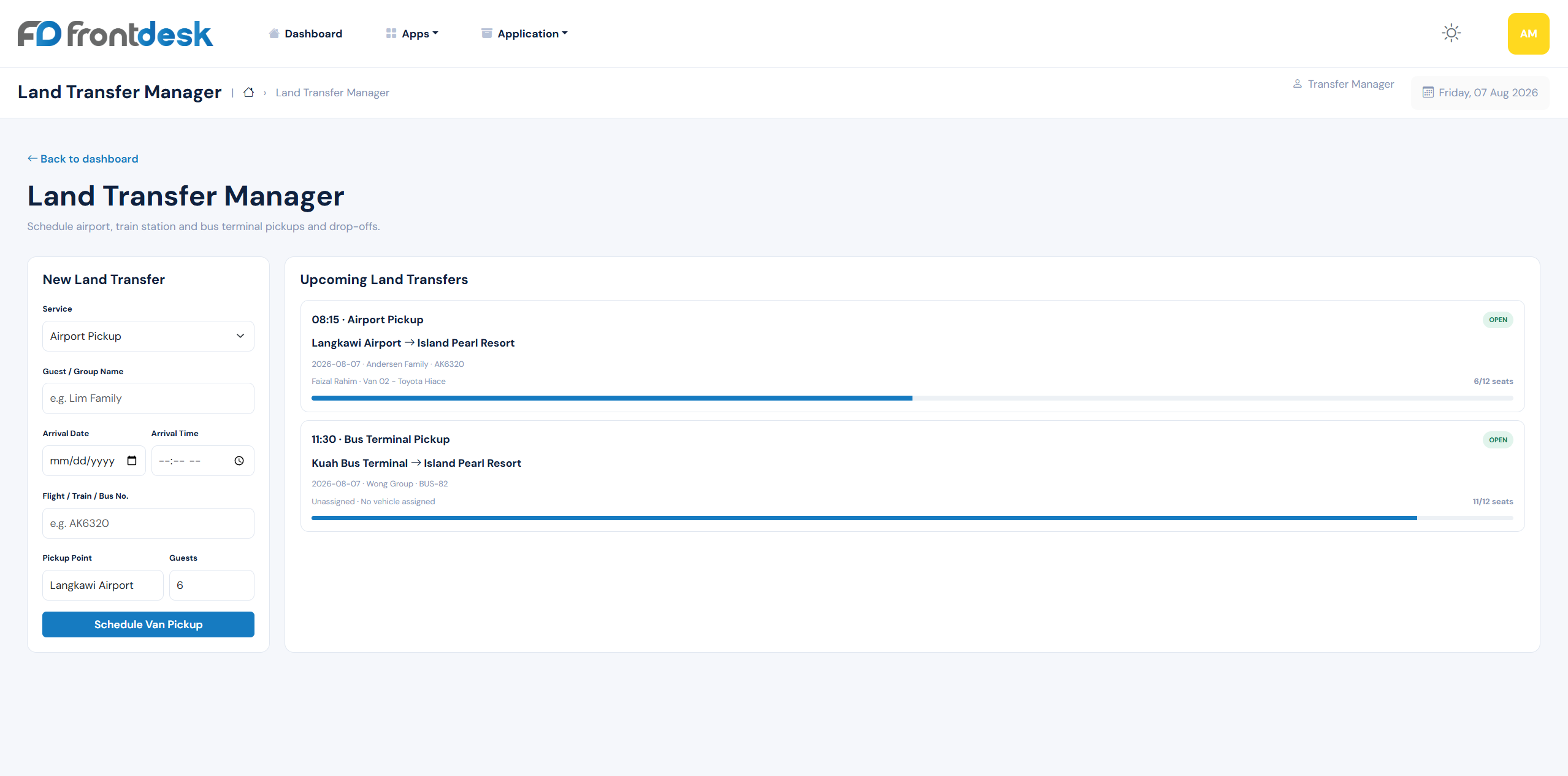
Land Transfer Routes
Routes between the airport, bus station, town and jetty.
Best for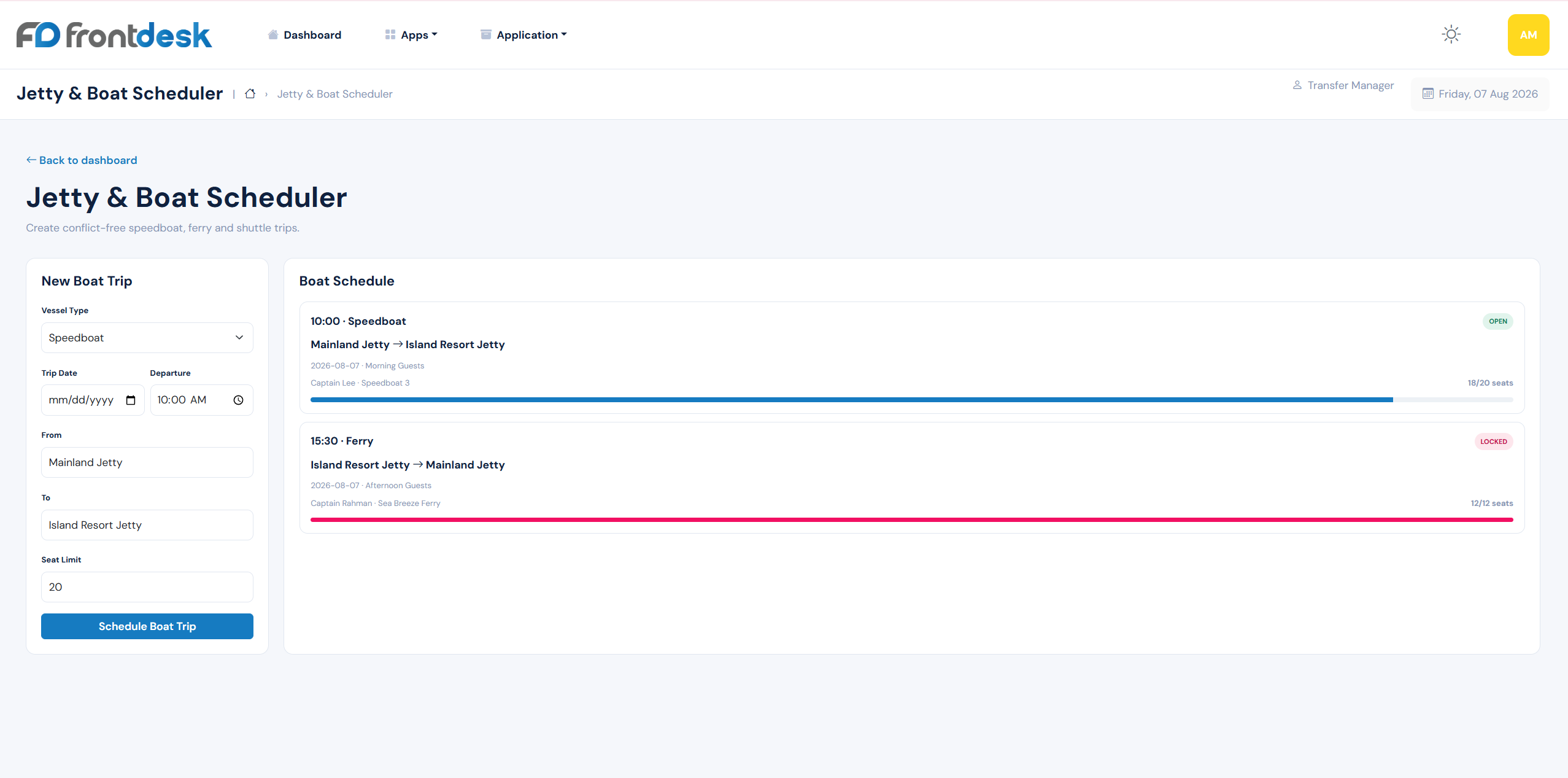
Boat Schedules
Boat departure times linked to transfer products.
Best for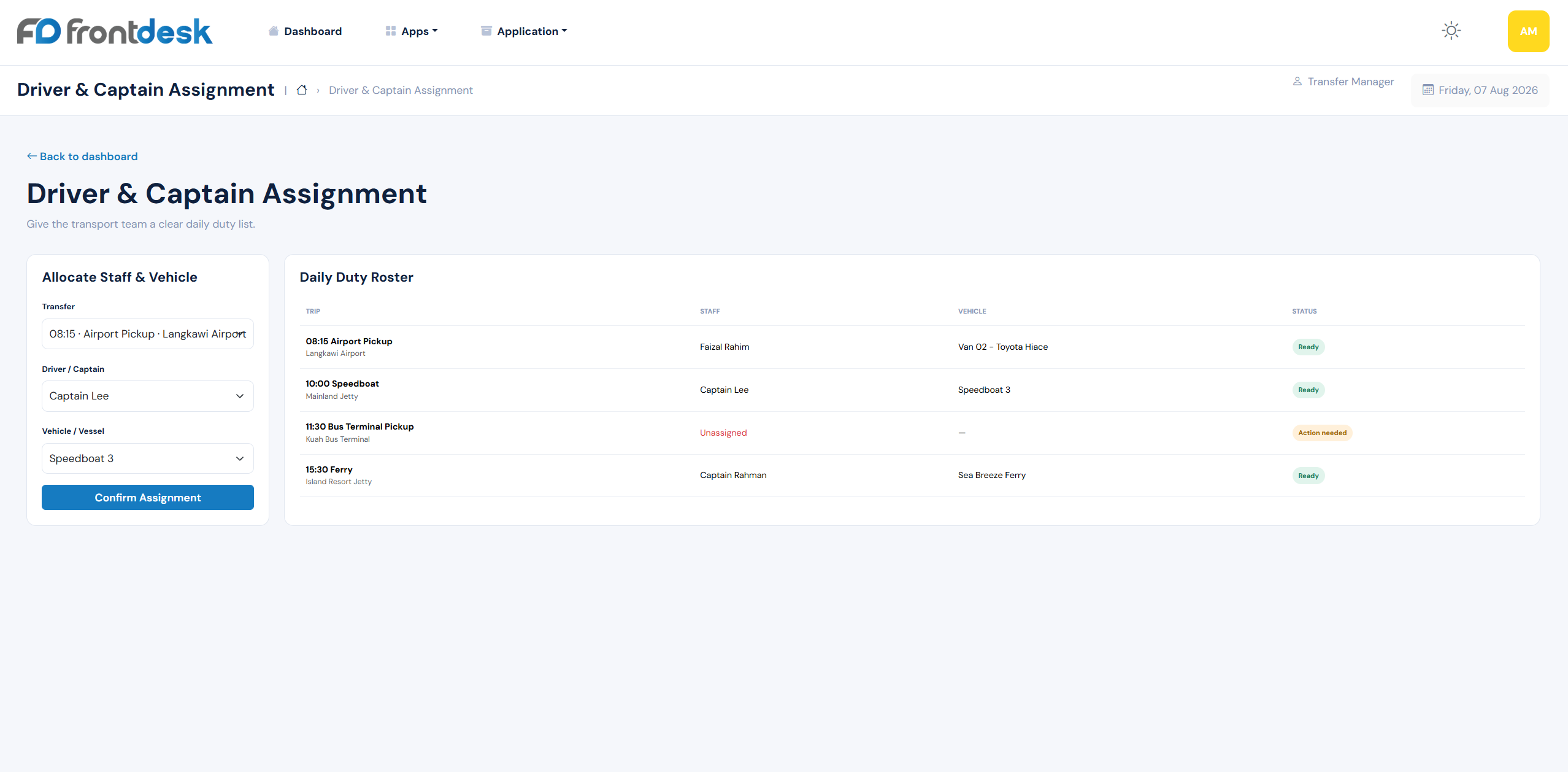
Crew, Vehicles & Drivers
Boat crew rosters and a vehicle register with drivers.
Best forBoat Capacity
Guest-to-boat assignment for each schedule.
Best for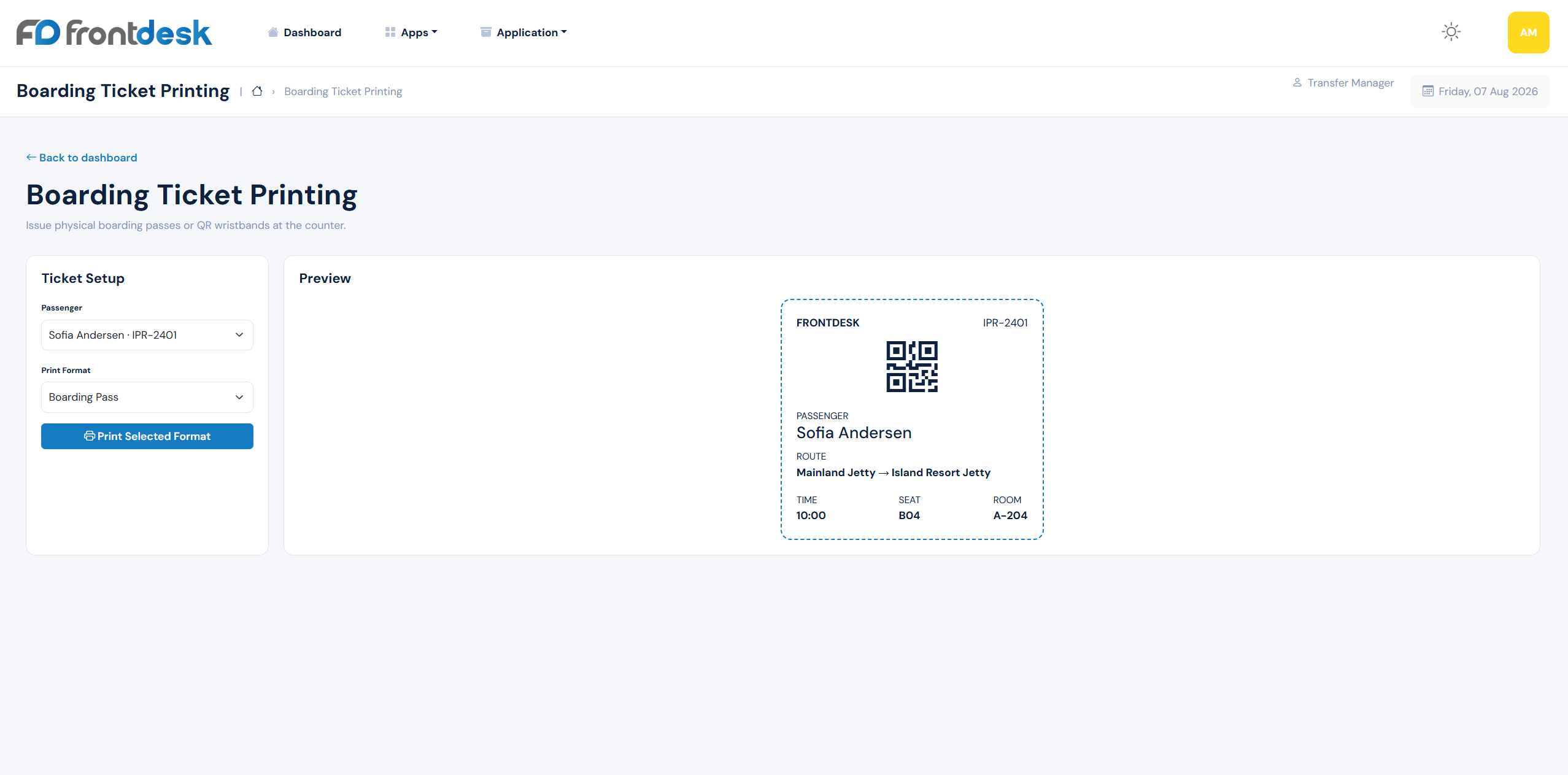
QR Boarding Pass
A thermal boarding pass with a QR code.
Best for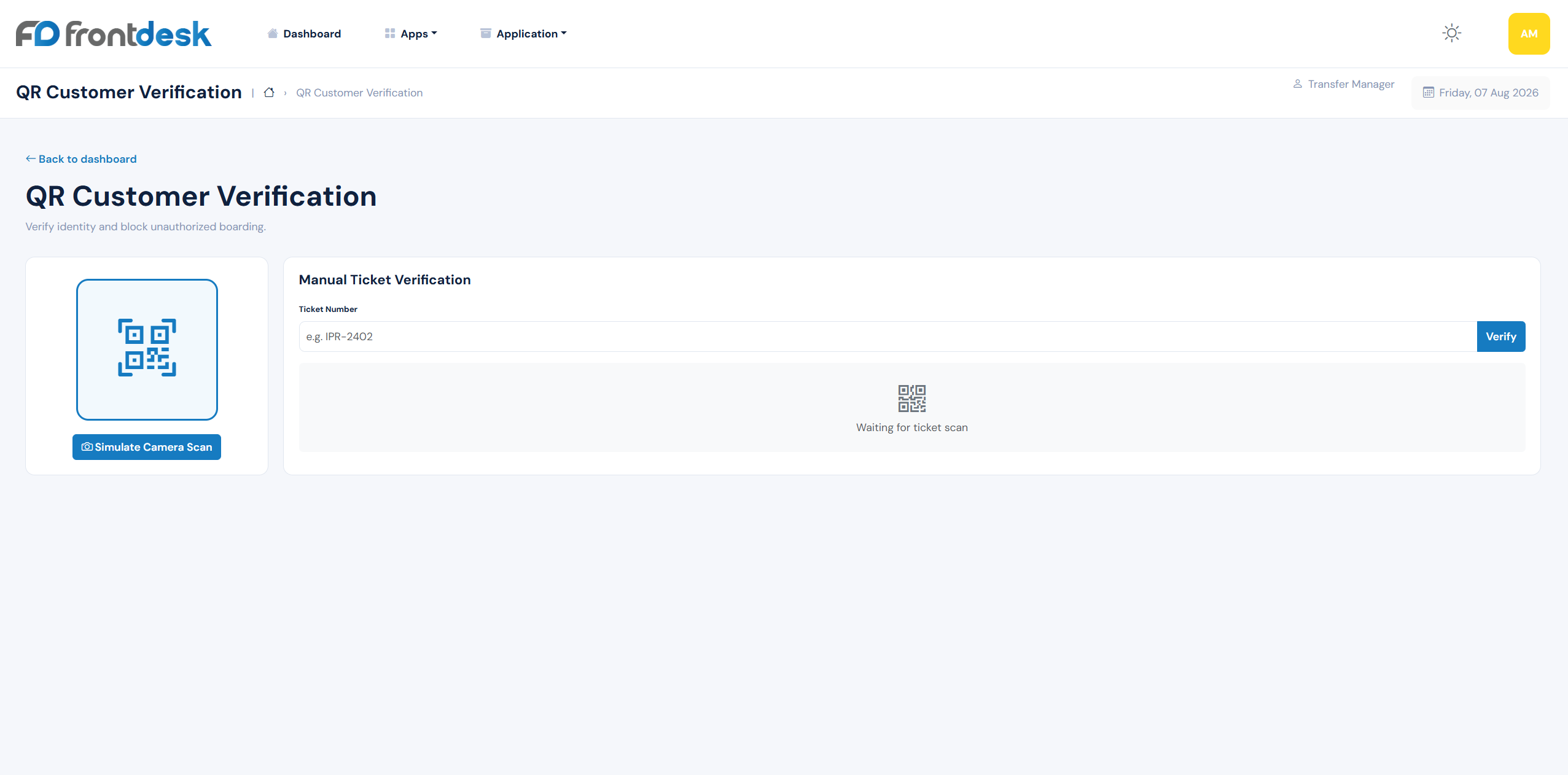
Jetty Self Check-in Kiosk
A kiosk where guests scan their booking QR code or reference.
Best forPart of the Resort PMS
Transfers stored with the guest's booking.
Best for
No capabilities match your search. Please try another keyword.
Key features
Transfer management capabilities
Guests who arrive by road and boat need the right seat at the right time. Schedule boats and vehicles, let guests print their own boarding pass at the jetty, assign drivers from one report and see every print on every screen.
Boat schedules and capacity
Boats, crew rosters and jetties, with departure times linked to transfer products and guests assigned to each boat within its capacity.
- Mainland jetty to resort jetty and back
- Daily boat schedule report
Jetty self check-in kiosk
Guests scan a QR code or enter their booking reference and print their own boarding pass on a thermal printer.
QR boarding pass
Each pass shows the booking reference, passenger, nationality, boat number, boarding time and the departure and arrival jetties.
Jetty boarding status screen
Live check-in counts for each departure, with check-in lists and boarding logs.
Walk-in and bulk transfers
Create passes for non-resort passengers, staff and charters. Enter many passengers at once, paste from Excel or pull in-house guests, and the right adult, child or infant fare is applied.
Land transfer routes
Routes between the airport, bus station, town and jetty, plus charters by bus, van or city tour.
Vehicles and drivers
A fleet register with drivers per vehicle, and drivers assigned straight from the land transfer report.
Land transfer report
Pick-ups grouped by route and time, with flight or bus details, boat times, guests and remarks, filtered by driver.
Land transfer vouchers
A printed voucher with the reference, guest, room, flight or bus, pick-up time, route and vehicle plate, in a layout distinct from the boarding pass.
- Every print and reprint logged with who and when
- Print All, and filters for printed and not printed
- Print status updates on every open screen instantly
Transfer reports
Daily boat schedule, boat transfer and land transfer reports, plus arrival and departure guests by boat.
Business benefits
The right guest on the right boat, every time
Self check-in at the jetty
Guests print their own QR boarding pass, and the jetty screen shows live counts for each departure.
Drivers assigned from one report
Pick-ups are grouped by route and time, with flight and boat times beside them.
Print status everyone can see
Every voucher print is logged and shows on every screen, so nothing is printed twice or missed.
Implementation
From booking to boarding, in four steps
Book the transfer
Boat seats and land transfers are chosen with the room booking, on the website, by an agent or at the desk.
Assign boats and drivers
Guests are assigned to boats within capacity, and drivers are assigned from the land transfer report.
Print passes and vouchers
Guests print their boarding pass at the jetty kiosk, and staff print land transfer vouchers with every print logged.
Board and report
The jetty screen tracks check-ins for each departure, and boarding logs and boat reports are ready for the day.
Who it is for
Island resorts with their own boats
Boat schedules, capacity, jetty check-in and boarding passes in one system.
Resorts with airport and bus station pick-ups
Drivers and vehicles are assigned to each route and time, and every voucher print is tracked.
Operators carrying day visitors and staff
Walk-in and bulk transfers create passes with the right fares in one save.