Content Management System
A fast CMS for landing pages and blogs that captures leads and routes them to your sales team.
Discuss your workflow- Scalable Content Publishing
- Custom-Branded Landing Pages
- Automated Round-Robin Sales Assignment
- Automated Multi-Channel Follow-up
Sound familiar?
When your website platform slows down and leads slip through
Performance Issues in Plugin-Heavy Websites
Websites may become slower and more difficult to maintain as content, media files and third-party plugins accumulate.
Delayed Lead Follow-Up
Form submissions may reach the sales team late or remain unnoticed, reducing opportunities for timely follow-up.
Inconsistent Lead Assignment
Without automated routing, leads may remain in shared inboxes without a clear owner or consistent assignment process.
Disconnected Marketing Tools
Lead records captured through landing pages may require manual transfer when marketing platforms and CRM systems are not integrated.
Inconsistent Mobile and In-App Display
Some pages may load slowly or display incorrectly inside mobile browsers and application webviews.
Limited API and Webhook Support
Limited integration options make it difficult to send CMS form data to third-party systems or retrieve external data within the CMS.
Clear skies ahead
Publishing and lead handling in one CMS
Scalable Content Publishing
Manage large volumes of articles and media through a CMS designed to minimise unnecessary processing overhead.
Custom-Branded Landing Pages
Create landing pages with custom lead-capture forms tailored to your products, services and campaigns.
Automated Round-Robin Sales Assignment
Distribute incoming leads among eligible sales representatives using configured round-robin rules.
Automated Multi-Channel Follow-up
Trigger configured WhatsApp, SMS or email follow-up workflows after a form is submitted.
CRM and Email Marketing Integration
Synchronise captured lead data with supported platforms such as Mailchimp, Klaviyo and Freshsales.
Webhook and Mobile Webview Support
Use incoming and outgoing webhooks to exchange data with connected systems while presenting responsive pages in mobile browsers and application webviews.
Try it yourself
Change the headline yourself
Type a headline and press publish. With a CMS, your own team updates a landing page this way, without waiting for a developer.
Your flight plan
4 Simple Steps for Launching Your CMS and Lead Workflow
- 1
Configure the CMS and Brand Experience
We configure the CMS dashboard, brand styling and responsive page templates around your requirements.
- 2
Create Landing Pages and Content
Publish blog posts, text, images and lead-capture forms through the CMS without editing code.
- 3
Connect CRM and Automation Tools
Connect supported platforms such as Mailchimp, Klaviyo, Freshsales, WhatsApp and SMS gateways through APIs or webhooks.
- 4
Launch Automated Lead Routing
The system captures form submissions, distributes leads using configured round-robin rules and triggers automated follow-up actions.
A closer look at the process
Faster pages, leads assigned automatically, data kept in sync
Efficient Content Delivery
A lightweight CMS architecture helps pages remain responsive as content and media requirements grow.
Automated Lead Distribution
Round-robin rules assign new form submissions to eligible sales representatives without manual allocation.
Worth a detour
What the CMS does, in detail
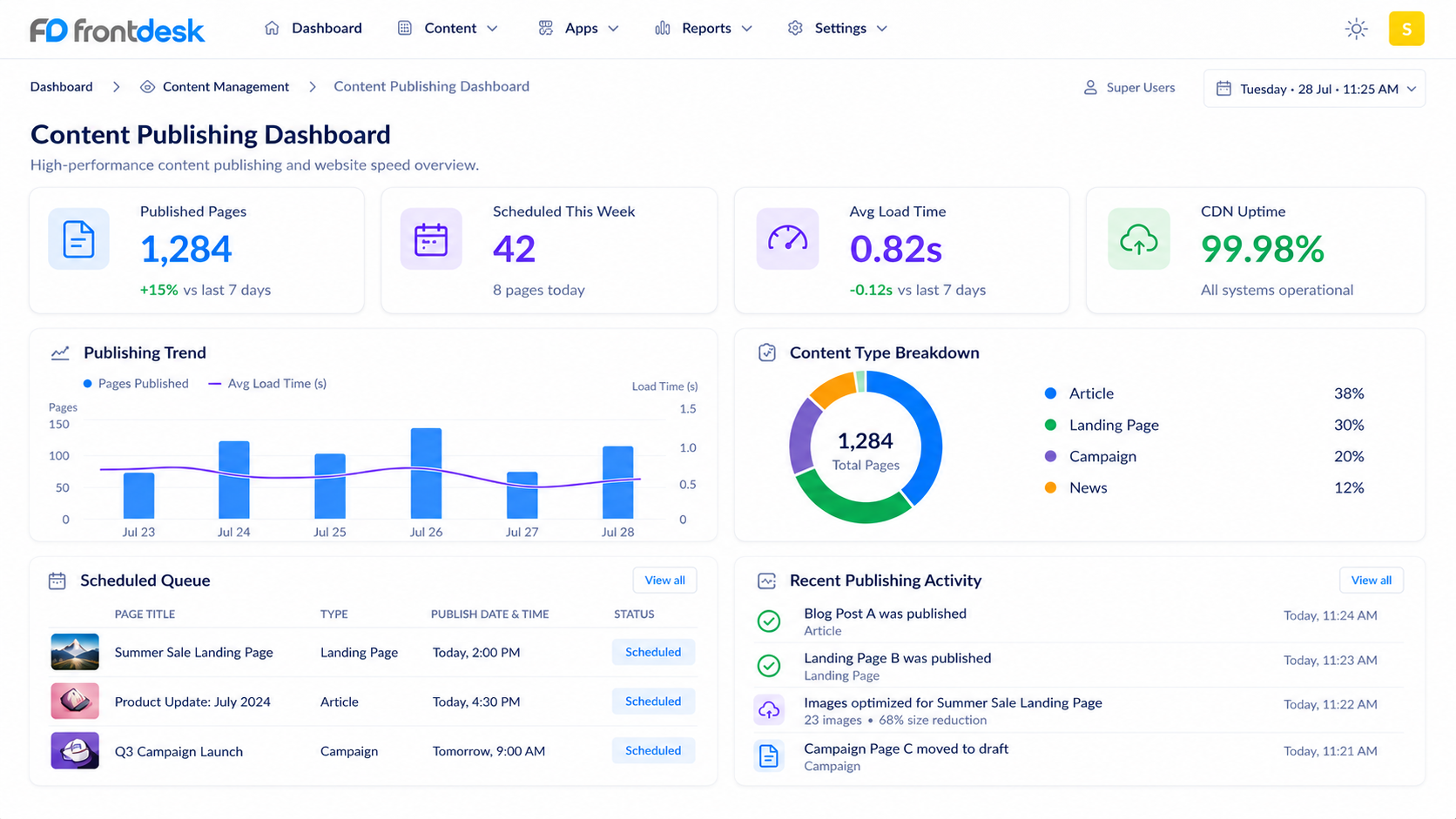
High-Performance Content Publishing Engine
A custom CMS built to handle large amount of blog content and images without speed drop.
Best for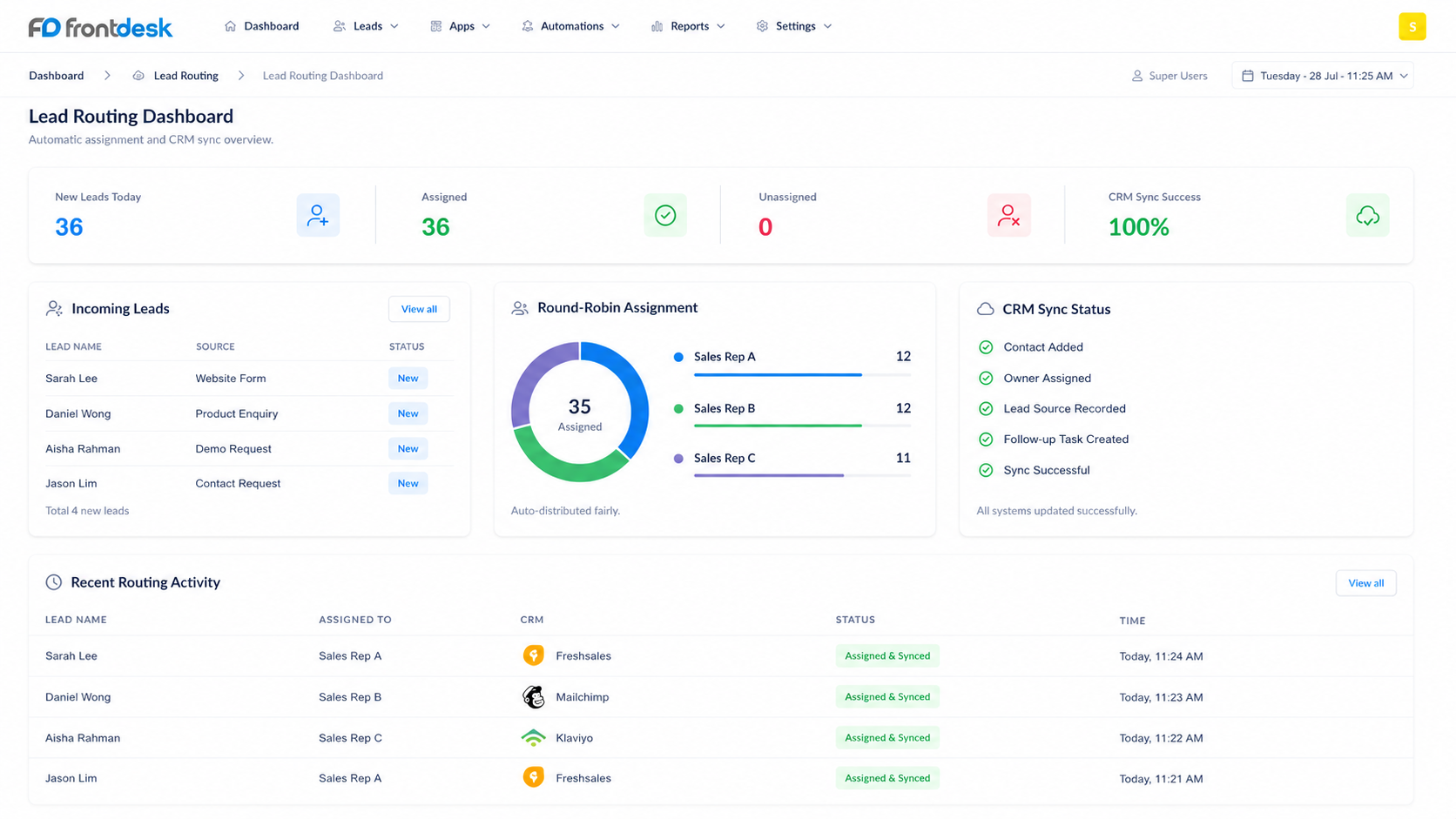
Round-Robin Lead Assignment & CRM Sync
An automated routing feature that assign form leads to sales person and sync data to CRM.
Best forTwo-Way Webhooks & Mobile Webview Integration
API and webhook setup that connect CMS data with external software and mobile app screens.
Best for
No technologies match your search. Please try another keyword.
Where it is used
Property and service companies running campaigns
Marketing builds branded landing pages, and each enquiry is assigned to a salesperson in turn.
Businesses that publish articles regularly
Staff publish blog posts and updates themselves, without waiting for a developer.
Sales teams that follow up by phone and WhatsApp
New leads from the website trigger follow-up by WhatsApp, SMS or email and are synced to the CRM.
Connect the parts of the workflow that should work together.
- Our custom Content Management System can integrate with supported marketing and CRM platforms such as Mailchimp, Klaviyo and Freshsales, as well as custom business databases.
- Webhooks and REST APIs allow captured leads to be sent to connected systems and external data to be received by the CMS, reducing manual data transfer across desktop and mobile workflows.
- For custom automation or hardware integration not listed here, see our Custom Software Development.